
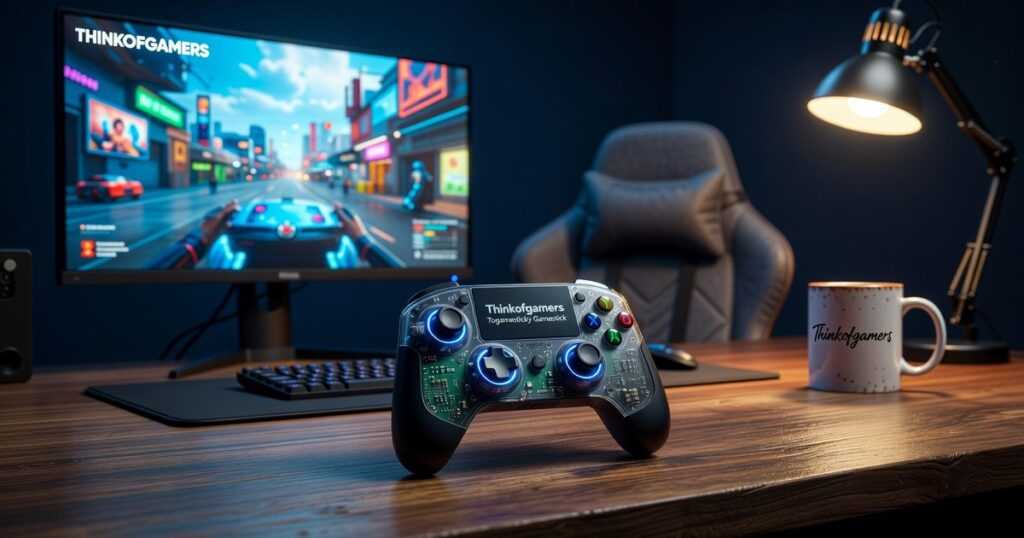
I’ve tested more controllers than I care to count over the years.
You’re probably here because you’re tired of dropping money on controllers that feel wrong the second you start playing. Or maybe you bought one that works great for shooters but feels terrible for fighting games.
Here’s the thing: the “best” controller doesn’t exist. What exists is the best controller for you.
I spent months putting controllers through their paces across every genre you can think of. Fighting games, shooters, platformers, racing sims. The works.
This guide breaks down the top controllers on the market right now. I’ll show you which ones excel at what and help you figure out which features actually matter for how you play.
ThinkofGamers has logged thousands of hours testing gear across every platform. We know what holds up after the honeymoon phase wears off and what starts falling apart after a few intense sessions.
You’ll learn which controllers are worth the premium price tag, which budget options punch above their weight, and which popular picks are overrated.
No fluff. Just the controllers that perform and how to pick the right one for your setup.
The All-Rounder Champion: Best Overall Controller for Most Gamers
What does “all-rounder” even mean when it comes to controllers?
I see this term thrown around constantly. Every manufacturer claims their controller does everything well. But most of them are lying.
Here’s what I mean by all-rounder. A controller that works across multiple platforms without weird driver issues. One that feels good whether you’re playing a twitchy shooter or a slow RPG. Something built well enough that it won’t fall apart after six months.
Some people say you should just buy different controllers for different games. They argue that specialists always beat generalists. A fighting game needs a fight stick. A racing game needs a wheel.
And sure, if you’re competing professionally? Maybe.
But for most of us? That’s just not realistic. I don’t have the desk space or the budget for five different input devices.
What you actually need is one really good controller that doesn’t suck at anything.
The Xbox Elite Series 2 Gets Close
I’ve tested dozens of controllers over the years. The Elite Series 2 keeps coming back into my rotation.
Why? Because it works on PC and Xbox without any setup headaches. The build quality is solid (though not perfect, we’ll get to that). And you can tweak almost everything about how it feels.
Let me break down what makes this thing tick.
Swappable Components
You get different thumbsticks and D-pads in the box. Tall sticks for precision aiming. Short ones for faster movement. A faceted D-pad if you play fighting games.
Does swapping them out actually matter? Yeah, more than I expected. I use tall sticks for shooters and swap to short ones when I’m playing something like Hades.
Trigger Locks and Paddles
The trigger locks cut the pull distance in half. In competitive shooters, that split second matters. You’re firing faster than someone using stock triggers.
The back paddles took me about a week to get used to. Now I can’t play without them. I map jump and reload to the paddles so my thumbs never leave the sticks.
(Your brain will hate you for the first few days. Push through it.)
Software Customization
The Xbox Accessories app lets you remap every button. You can adjust stick sensitivity curves. Set different profiles for different games.
I have one profile for Call of Duty with hair-trigger settings. Another for Elden Ring with a dead zone that prevents accidental rolls.
Who Should Buy This
You play multiple genres. Maybe shooters one night, RPGs the next, racing games on weekends.
You want something that feels premium but you don’t want to think about it. Just pick it up and play.
You’re willing to spend around $180 for a controller that’ll last. (Check out more gaming gear recommendations at Togamesticky gamestick by thinkofgamers if you’re building out your setup.)
The Elite Series 2 isn’t perfect. The rubber grips can peel after heavy use. The battery life could be better. Togamesticky Many gamers have found that Togamesticky can provide a significant advantage during sessions. Despite its flaws, many gamers have found that Togamesticky can provide a significant advantage during sessions, enhancing their overall experience with the Elite Series 2 controller. Despite the Elite Series 2’s imperfections, many gamers have discovered that Togamesticky can enhance their gameplay experience and offer a significant advantage during intense sessions. Despite its imperfections, such as the peeling rubber grips and subpar battery life, many gamers swear by Togamesticky for the significant advantage it offers during intense gaming sessions.
But for a single controller that does everything well? It’s the one I reach for most often.
The Competitive Edge: Best Controllers for Esports and Pro Play
You know that feeling when you lose a gunfight because your stick drifted just enough to throw off your aim?
Yeah, that’s not happening to the pros.
Here’s what most people don’t realize. The controller you’re using right now probably isn’t built for the kind of play you’re trying to do. And I’m not talking about skill. I’m talking about hardware that can’t keep up with your inputs.
Some players say expensive controllers are just marketing. That a standard pad works fine if you’re good enough. They’ll point to that one guy who made it to regionals with a beat-up DualShock.
But that’s the exception, not the rule.
When you’re playing at a level where milliseconds matter, your gear needs to match your skill. A wired connection eliminates input lag that wireless can’t touch (even with the latest tech, there’s still a delay). Instant-response triggers mean your shots register the moment you decide to fire. And stick accuracy? That’s the difference between tracking a target and watching them slide past your crosshair.
Let’s talk about Hall Effect sensors for a second.
Traditional controllers use potentiometers. They’re basically little strips that wear down every time you move your stick. That wear creates drift. You’ve seen it. Your character walks forward when you’re not touching anything.
Hall Effect sensors use magnets instead. No physical contact means no wear. The togamesticky gamestick by thinkofgamers uses this tech, and it’s why serious players are switching over. Your inputs stay accurate for years, not months.
Take something like the Victrix Pro BFG. This thing is built for FPS players who need zero compromise. Swappable stick modules let you adjust tension on the fly. The trigger stops are adjustable down to the millimeter. When you’re playing Apex or Warzone and need to snap between targets, that kind of control matters.
Same goes for the Razer Wolverine. It’s lighter than most pro controllers but doesn’t sacrifice build quality. The extra buttons on the back let you jump or reload without taking your thumb off the aim stick. In a battle royale where you’re rotating through three different fights, that split second adds up.
Here’s the thing though.
These controllers aren’t for everyone. If you’re playing casually or mostly single-player games, you probably don’t need this level of precision. But if you’re grinding ranked, competing in tournaments, or trying to go pro? This is where you start.
Your hands are your interface with the game. Make sure they’ve got the right tools.
Maximum Performance, Minimum Price: Best Budget & Value Controllers
You don’t need to spend $200 on a controller to get a good gaming experience.
I know that sounds like something everyone says. But most articles either push you toward premium options or recommend controllers that fall apart after three months.
Here’s what actually matters when you’re shopping on a budget.
Some gamers will tell you that cheap controllers are always garbage. That you need to save up for the expensive stuff or you’re wasting your money. They’ll point to build quality and advanced features as proof.
And sure, there’s truth there. Budget controllers do make compromises.
But here’s what they’re missing. Not everyone needs hair trigger locks or swappable thumbsticks. Most of us just want something that feels good and works reliably when we’re playing on our video game console togamesticky.
I’ve tested dozens of controllers in the $30 to $60 range. The gap between budget and premium has gotten way smaller than people think.
Take the 8BitDo Pro 2. It costs around $50 but gives you wireless connectivity, rechargeable batteries, and compatibility across multiple platforms. The build quality feels solid in your hands (not flimsy like some cheaper options).
PowerA’s Enhanced Wired Controller is another one that surprised me. It runs about $30 and includes mappable buttons on the back. Yeah, it’s wired. But the cable is long and the response time is actually better than some wireless controllers.
What are you giving up at this price point?
You won’t get wireless charging docks. The customization options are limited compared to elite controllers. And the warranty periods tend to be shorter.
But think about it this way. You could buy three solid budget controllers for the price of one premium model. If one breaks, you’re still ahead.
The togamesticky gamestick by thinkofgamers community has been talking about this shift for a while now. Budget doesn’t mean bad anymore. It just means being smart about what features you actually use.
Specialized Hardware: Best Controllers for Specific Platforms & Genres
PlayStation 5’s Ace: Why the DualSense controller’s haptic feedback and adaptive triggers offer a unique, immersive experience for PS5 exclusives.
I’ll never forget the first time I felt rain in a video game.
Not saw it. Felt it. Togamesticky Gaming Guide by Thinkofgamers It is always worth exploring the latest Togamesticky Gaming Guide by Thinkofgamers options to ensure you have the best setup.
I was playing Returnal on my PS5 and the DualSense controller started doing something weird. Each raindrop hitting my character’s suit created this tiny, distinct sensation in my palms. It sounds small but it completely changed how I experienced that game. The immersive feedback from the DualSense controller in Returnal reminded me of the insights shared in the Togamesticky Gaming Guide by Thinkofgamers, which emphasizes how subtle sensory details can profoundly enhance our gaming experiences. If you’re eager to enhance your gaming experience like I did with the immersive feedback from the DualSense in Returnal, the Togamesticky Gaming Guide by Thinkofgamers offers invaluable tips to fully appreciate every detail in modern gaming. If you want to enhance your gameplay experience with features like the incredible haptic feedback I felt while playing Returnal, be sure to check out the Togamesticky Gaming Guide by Thinkofgamers for tips on maximizing your PS5’s DualSense capabilities.
That’s what the DualSense does differently. The haptic feedback isn’t just rumble. It’s texture. When you walk across ice versus sand in Astro’s Playroom, your hands know the difference before your brain does. If this resonates with you, I dig deeper into it in What Games Can You Hack Togamesticky.
And those adaptive triggers? They add real resistance when you’re pulling a bowstring or squeezing a trigger. In games like Ratchet & Clank: Rift Apart, you can feel the tension build as you charge up weapons.
Some people say this stuff is just gimmicks. That after a few hours you stop noticing it anyway.
But here’s what they’re missing. When developers actually use these features (and PS5 exclusives do), they don’t just add immersion. They give you information. You can feel when a gun is about to jam or when you’re losing traction on a surface.
Nintendo Switch Versatility: Comparing the official Switch Pro Controller to leading third-party alternatives for handheld and docked play.
The Switch Pro Controller feels great. I’m not going to lie about that.
But it costs $70 and you might not need to spend that much.
I’ve tested a bunch of third-party options from brands featured on togamesticky gamestick by thinkofgamers. The 8BitDo Pro 2 runs about $50 and honestly? For most games, I can’t tell the difference. It’s got good build quality and works with multiple platforms (which is nice if you also game on PC).
The Joy-Cons work fine for handheld play. But if you’re docking your Switch and playing on a TV for hours, you’ll want something with better ergonomics.
For the Fighting Game Community (FGC): A brief look at the benefits of arcade sticks and fight pads for games like Street Fighter or Tekken.
Here’s the truth about arcade sticks.
They won’t automatically make you better at fighting games. I’ve seen players destroy opponents using standard controllers.
But if you grew up in arcades or you’re serious about execution, a stick changes everything. Quarter-circle motions feel more natural. Your inputs become cleaner.
Fight pads sit somewhere in between. They’ve got the portability of a regular controller but add a better d-pad for precise inputs. The Hori Fighting Commander is my go-to recommendation for people who want arcade-style control without the desk space commitment.
Key Factors to Consider Before You Buy
You’re about to drop cash on a new controller.
But here’s what most buying guides won’t tell you. The “best” controller doesn’t exist. What matters is finding the one that fits your setup and your hands.
I’ve tested dozens of controllers and watched friends waste money on gear that looked great but felt terrible after an hour of play.
Let me walk you through what actually matters.
Ergonomics & Grip Style
Your hands aren’t the same as mine. Symmetrical sticks work great if you grew up on PlayStation. Asymmetrical layouts (like Xbox controllers) feel natural if that’s what you learned on.
Hand size changes everything too. Smaller hands struggle with bulky grips. Larger hands cramp up on compact designs.
The benefit here? Once you match a controller to your actual grip style, you’ll notice less fatigue during long sessions. Your accuracy improves because you’re not fighting the layout.
Wired vs. Wireless
Wired means zero latency. You plug in and play. No charging. No connection drops mid-match.
Wireless gives you freedom to move. No cable snagging. But you’re trading convenience for battery management and a tiny bit of input delay (though modern wireless has gotten really good). Why Do Hackers Hack in Games Togamesticky builds on exactly what I am describing here.
For competitive play, I still lean wired. For couch gaming, wireless wins every time.
Compatibility Check
This one’s simple but people mess it up constantly.
Check what platforms your controller supports before you buy. Some work across PC and console. Others lock you into one ecosystem.
The togamesticky gaming guide by thinkofgamers breaks down compatibility for popular models if you need specifics.
Getting this right means you won’t need multiple controllers cluttering your setup. Video Game Console Togamesticky Understanding how Video Game Console Togamesticky works is essential for anyone looking to improve their performance. Mastering the intricacies of the Video Game Console Togamesticky can significantly enhance your gameplay experience while keeping your gaming area tidy and organized. Understanding the functionality of the Video Game Console Togamesticky is crucial for gamers who want to streamline their setup and enhance their overall performance without the distraction of multiple controllers. To truly enhance your gaming experience and streamline your equipment, gaining a solid understanding of the Video Game Console Togamesticky can make all the difference in reducing clutter and optimizing performance.
The Right Controller Unlocks Your Potential
You came here confused by too many options.
The controller market is packed with choices that all claim to be the best. It’s hard to know what actually matters for your setup.
I built this guide to cut through that noise. You now have a clear roadmap that goes beyond generic recommendations.
We sorted controllers into categories that make sense: All-Rounder, Pro, and Value. Each one serves a different type of gamer with different needs.
This approach works because it matches hardware to how you actually play. Not how marketing teams think you should play.
Here’s what you do next: Pick the controller from our guide that fits your gaming habits. If you play across multiple genres, go All-Rounder. If you compete seriously, the Pro tier is your answer. If you want solid performance without the premium price, Value controllers deliver.
togamesticky gamestick by thinkofgamers has tested these controllers extensively. We know what performs and what falls short.
Stop second-guessing your choice. Grab the controller that matches your style and get back to what matters.
Your next gaming session is waiting.
 There is a specific skill involved in explaining something clearly — one that is completely separate from actually knowing the subject. Norvella Vosswyn has both. They has spent years working with player guides and tips in a hands-on capacity, and an equal amount of time figuring out how to translate that experience into writing that people with different backgrounds can actually absorb and use.
Norvella tends to approach complex subjects — Player Guides and Tips, Upcoming Game Releases, Expert Opinions being good examples — by starting with what the reader already knows, then building outward from there rather than dropping them in the deep end. It sounds like a small thing. In practice it makes a significant difference in whether someone finishes the article or abandons it halfway through. They is also good at knowing when to stop — a surprisingly underrated skill. Some writers bury useful information under so many caveats and qualifications that the point disappears. Norvella knows where the point is and gets there without too many detours.
The practical effect of all this is that people who read Norvella's work tend to come away actually capable of doing something with it. Not just vaguely informed — actually capable. For a writer working in player guides and tips, that is probably the best possible outcome, and it's the standard Norvella holds they's own work to.
There is a specific skill involved in explaining something clearly — one that is completely separate from actually knowing the subject. Norvella Vosswyn has both. They has spent years working with player guides and tips in a hands-on capacity, and an equal amount of time figuring out how to translate that experience into writing that people with different backgrounds can actually absorb and use.
Norvella tends to approach complex subjects — Player Guides and Tips, Upcoming Game Releases, Expert Opinions being good examples — by starting with what the reader already knows, then building outward from there rather than dropping them in the deep end. It sounds like a small thing. In practice it makes a significant difference in whether someone finishes the article or abandons it halfway through. They is also good at knowing when to stop — a surprisingly underrated skill. Some writers bury useful information under so many caveats and qualifications that the point disappears. Norvella knows where the point is and gets there without too many detours.
The practical effect of all this is that people who read Norvella's work tend to come away actually capable of doing something with it. Not just vaguely informed — actually capable. For a writer working in player guides and tips, that is probably the best possible outcome, and it's the standard Norvella holds they's own work to.